Cluster Upgrade Compatibility 
Introduction
Upgrading a Kubernetes cluster to a newer version can break your workloads, because Kubernetes periodically deprecates and eventually removes older API versions of its resources. If an object in your cluster still uses an API version that is removed in the target Kubernetes version, it will stop working after the upgrade.
Devtron's Cluster Upgrade Compatibility check helps you prepare for a cluster upgrade before you perform it. For a chosen target Kubernetes version, Devtron scans all the Kubernetes objects in your cluster and tells you:
- Which resources use an API version that is removed in the target version.
- Which resources use an API version that is deprecated in the target version.
- Which resources have new API versions available in the target version.
- Whether each object can be migrated with just an apiVersion change, or needs fixes first.
Under the hood, Devtron uses Silver Surfer to compare your live cluster objects against the target Kubernetes version's API schema. For details on how the comparison is computed, see Silver Surfer Internals.
Only a Super-Admin can run the cluster upgrade compatibility check.
Checking Compatibility
Step 1: Open the compatibility check
-
Go to the Resource Browser and select the cluster you plan to upgrade.
-
On the cluster Overview page, locate the Kubernetes version of the cluster. Under it, in the Migrating to another K8s version? card, click Check Compatibility.
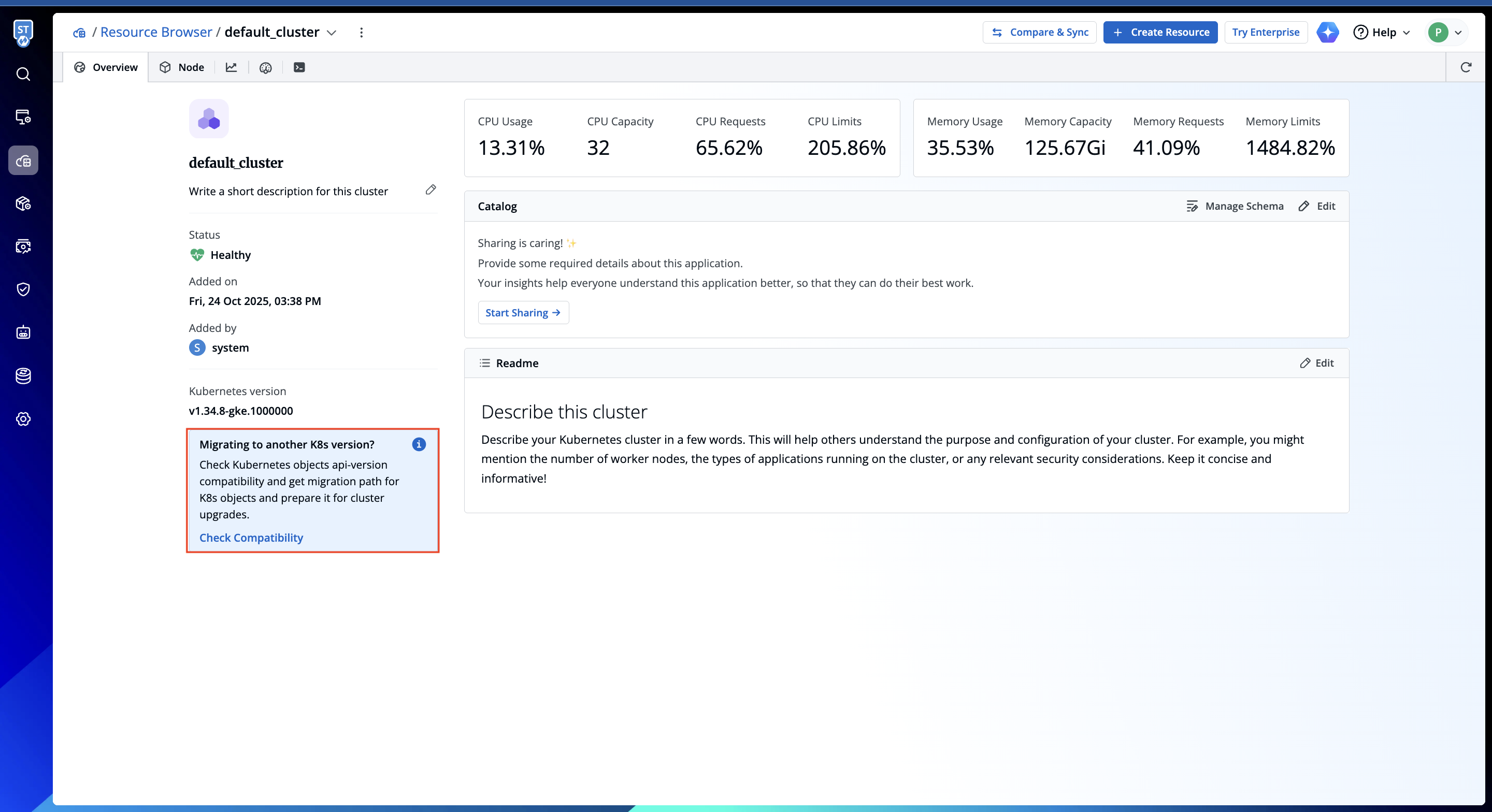
Figure 1: Check Compatibility Entry Point
Step 2: Select the target Kubernetes version
Choose the Kubernetes version you intend to upgrade to. Devtron populates the list of selectable versions based on the available Kubernetes releases.
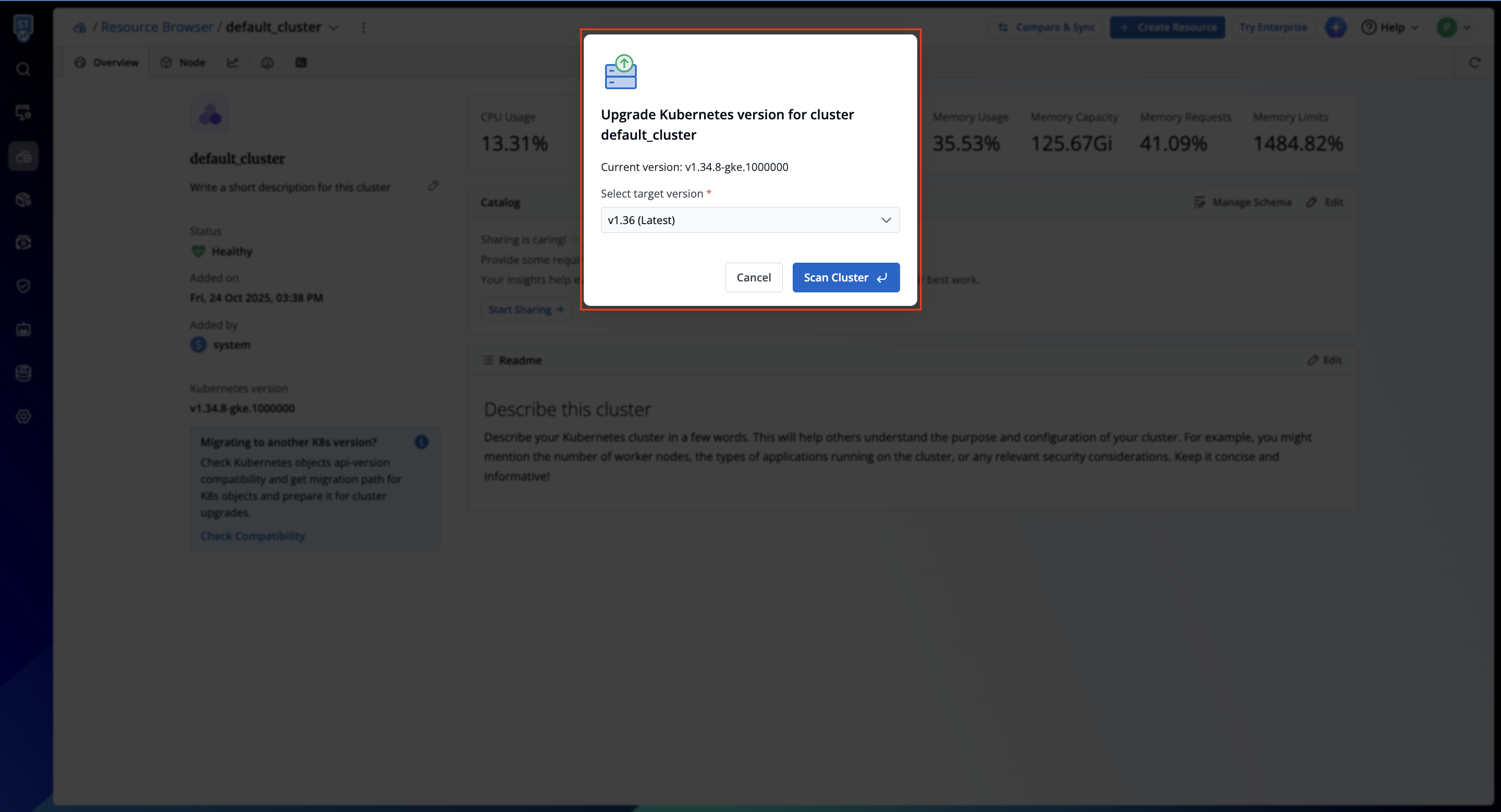
Devtron then scans every object in the cluster and compares its API version against the schema of the selected target version.
Understanding the Results
The compatibility report groups your cluster's objects into the following categories:
| Category | Meaning |
|---|---|
| Removed ApiVersion | The object's current API version no longer exists in the target version. These must be migrated before upgrading, otherwise the object will break. |
| Deprecated ApiVersion | The object's current API version still works in the target version but is marked for removal in a future version. You should plan to migrate these. |
| New Versions Available | A newer API version is available for the object in the target version. Migrating is recommended to stay current. |
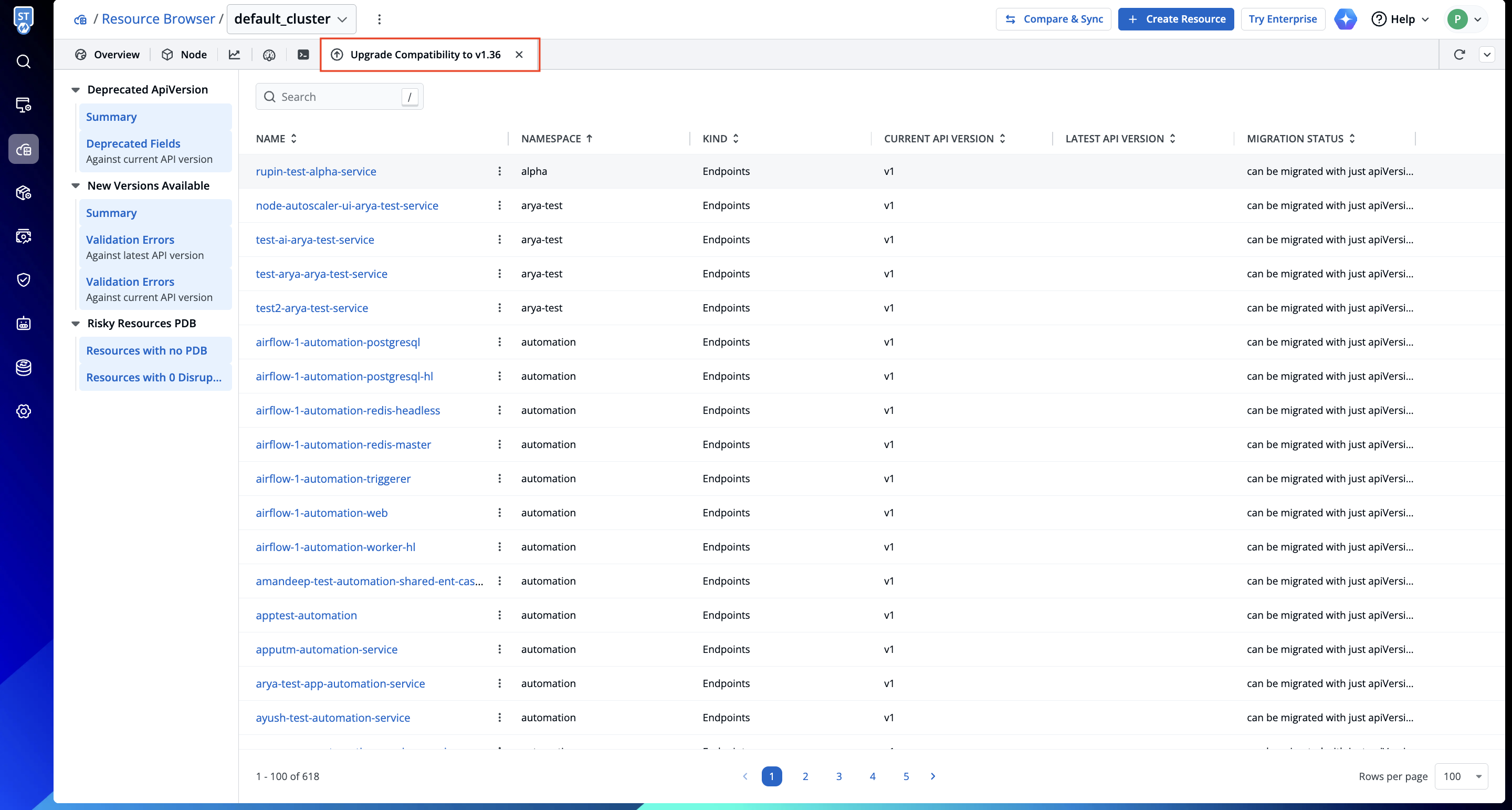
Summary and Migration Status
For each category, a Summary table lists the affected objects with their name, namespace, kind, current API version, latest API version, and a migration status. The migration status is one of:
| Migration Status | Meaning |
|---|---|
| Can be migrated with just an apiVersion change | The object is compatible with the target version's schema; you only need to update its apiVersion. |
| N issues: fix issues before migration | The object has schema validation issues (for example, fields that changed or were removed). Fix these before migrating. |
| Cannot migrate Kubernetes version | The object cannot be migrated to the target version as-is and needs attention. |
Alongside the summary, Devtron also surfaces:
- Validation Errors — schema errors for the object, checked both against its current API version and against the latest API version, with the exact field
pathandreason. - Deprecated Fields — fields used by the object that are deprecated in the current or latest API version.
Along with API compatibility, the report also highlights risky Pod Disruption Budgets (PDBs) — PDB configurations that could block nodes from draining during the upgrade — so you can address them beforehand.
Next Steps
Use the report to prepare your cluster for the upgrade:
- Migrate objects listed under Removed ApiVersion first — these will break after the upgrade.
- For objects marked fix issues before migration, resolve the reported validation errors, then update the
apiVersion. - Plan migrations for Deprecated ApiVersion objects to avoid problems in future upgrades.
- Review and fix any risky PDBs.
Once the report shows your objects can be migrated, you can proceed with the cluster upgrade with confidence.