Applications
Introduction
The Applications page helps you create and manage your microservices, and it majorly consists of the following:
Application Listing
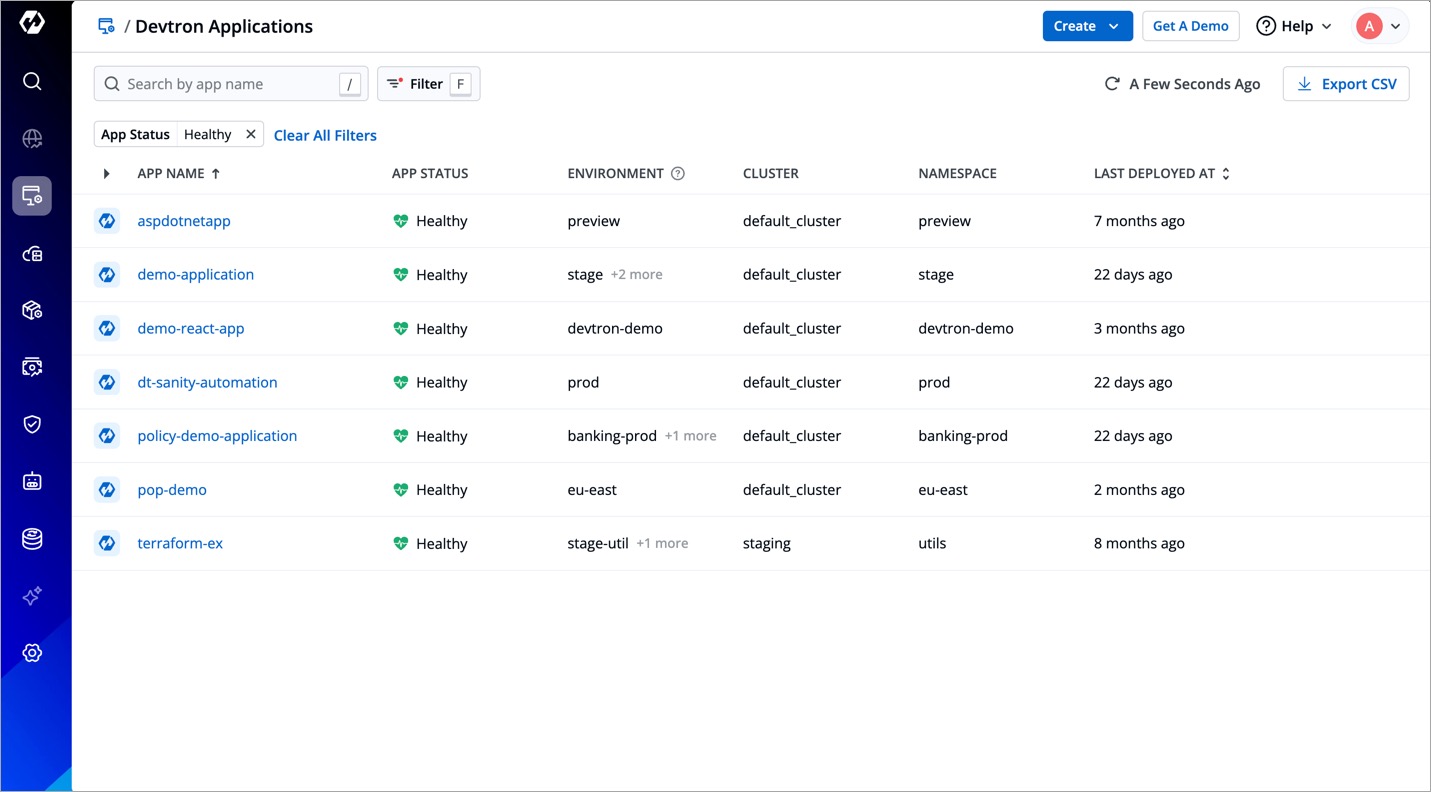
You can view the app name, its status, environment, namespace, and many more upfront.
Create Button
You can use this to:
Other Options
There are additional options available for you:
- Search and filters to make it easier for you to find applications. Refer to Searching and Filtering for more information.
- Export CSV to download the data of Devtron apps (not supported for Helm apps and Argo CD apps).
- Sync button to refresh the app listing.
Searching and Filtering
To help you quickly find the applications you need, the Applications page provides a search bar along with a set of filters (such as app status, project, environment, cluster, and namespace).
Click Filters to open the filter dropdown and select the values you want to filter by. The application list updates to show only the applications matching your selection.
Press the f key anywhere on the Applications page to open the filter dropdown without using your mouse.
Persistent Filters
Devtron remembers the filters you apply on the Applications page. The next time you return to the page — even after refreshing the page or signing in again in a new session — your previously applied filters are automatically reapplied, so you can pick up right where you left off.
Filtering by application tags is the only filter that is not persisted. Every other filter from the dropdown is remembered.