Get Admin Credentials
Refer Install Devtron to know the available tiers and installation options.
Using Own Kubernetes Cluster?
When Devtron is installed on your own Kubernetes cluster, it creates a default admin user and password (with unrestricted access to Devtron). You can use that credentials to log in as an administrator.
Username: admin
Password: Run the following command to get the admin password:
kubectl -n devtroncd get secret devtron-secret \
-o jsonpath='{.data.ADMIN_PASSWORD}' | base64 -d
Using Devtron Cloud (SaaS)?
If you are using the 30-day trial version of Devtron Cloud (SaaS), follow the steps below to get the credentials.
-
Go to Devtron's License Dashboard and sign in using SSO or registered email address used at the time of installation.
-
Once logged in, the Devtron License Dashboard will show your existing license. Below the license, you will find the Dashboard URL and login password (username will be
admin).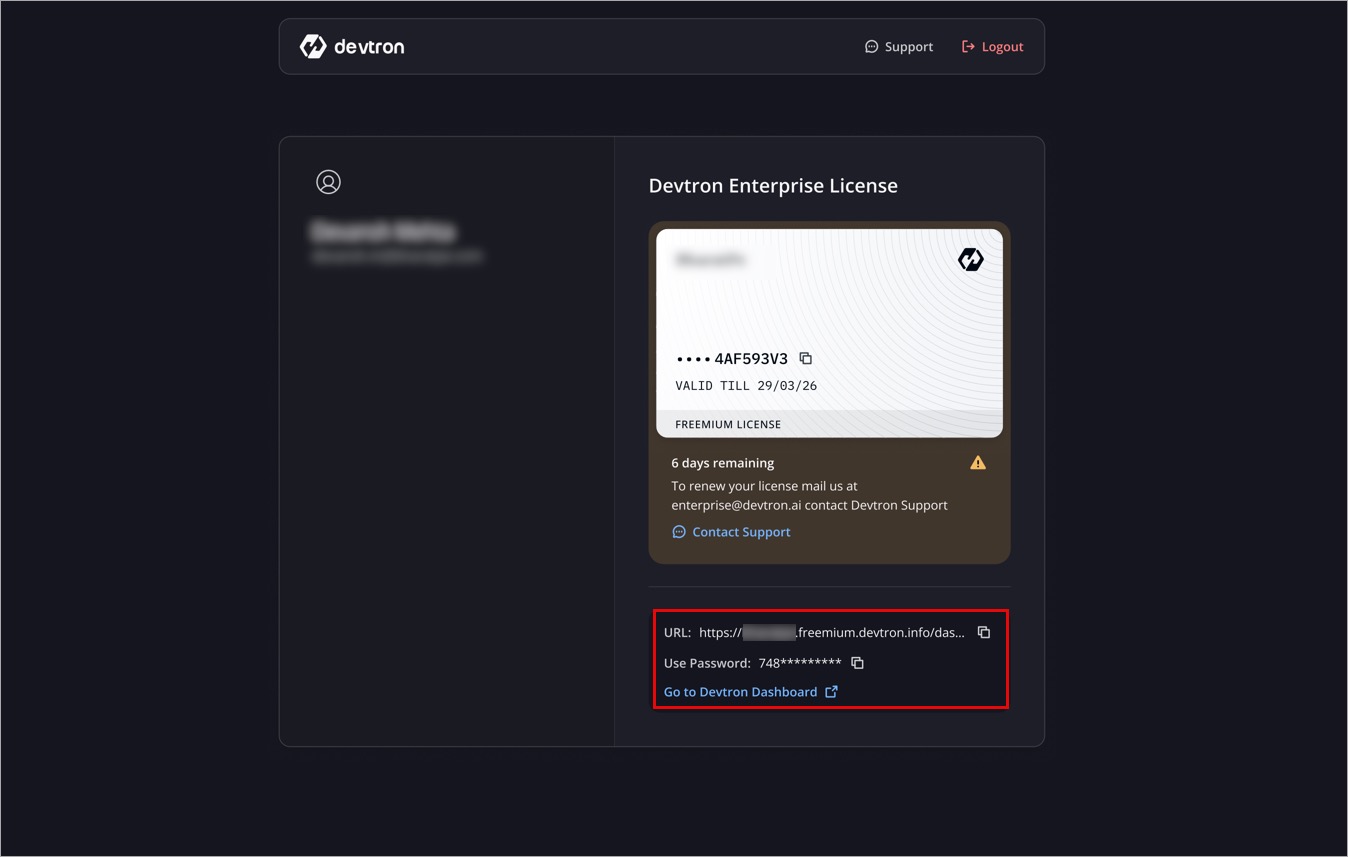
Figure 1: License Page
When you install Devtron for the first time, it creates a default admin user and password (with unrestricted access to Devtron). You can use it to log in as an administrator.
After the initial login, we recommend you set up any Single Sign-On (SSO) service like Google, GitHub, etc., and then add other users (including yourself). Subsequently, all the users can use the same SSO (e.g., GitHub) to log in to the Dashboard.